
Automatic company enrichment in Webmecanik Pipeline allows you to instantly complete key information about your prospects and clients without manual entry.
🚀 Why use automatic enrichment?
Manual data entry is time-consuming and prone to errors. With this feature:
- Less manual entry: Your sales teams save time daily to focus on closing deals.
- More reliable data: Company records are systematically updated with official and accurate information.
- Refined targeting: Easily segment your sales opportunities by industry sector, company size, or revenue.
📊 What data is automatically enriched?
When running the enrichment tool, Webmecanik retrieves and updates several essential fields on the company profile:
- Legal identifiers: SIREN and SIRET numbers.
- Contact details: Full postal address.
- Activity sector: NAF / APE code.
- Key figures: Headcount (number of employees) and annual revenue.
⚙️ How to enrich a company record?
You can enrich company data in two different ways:
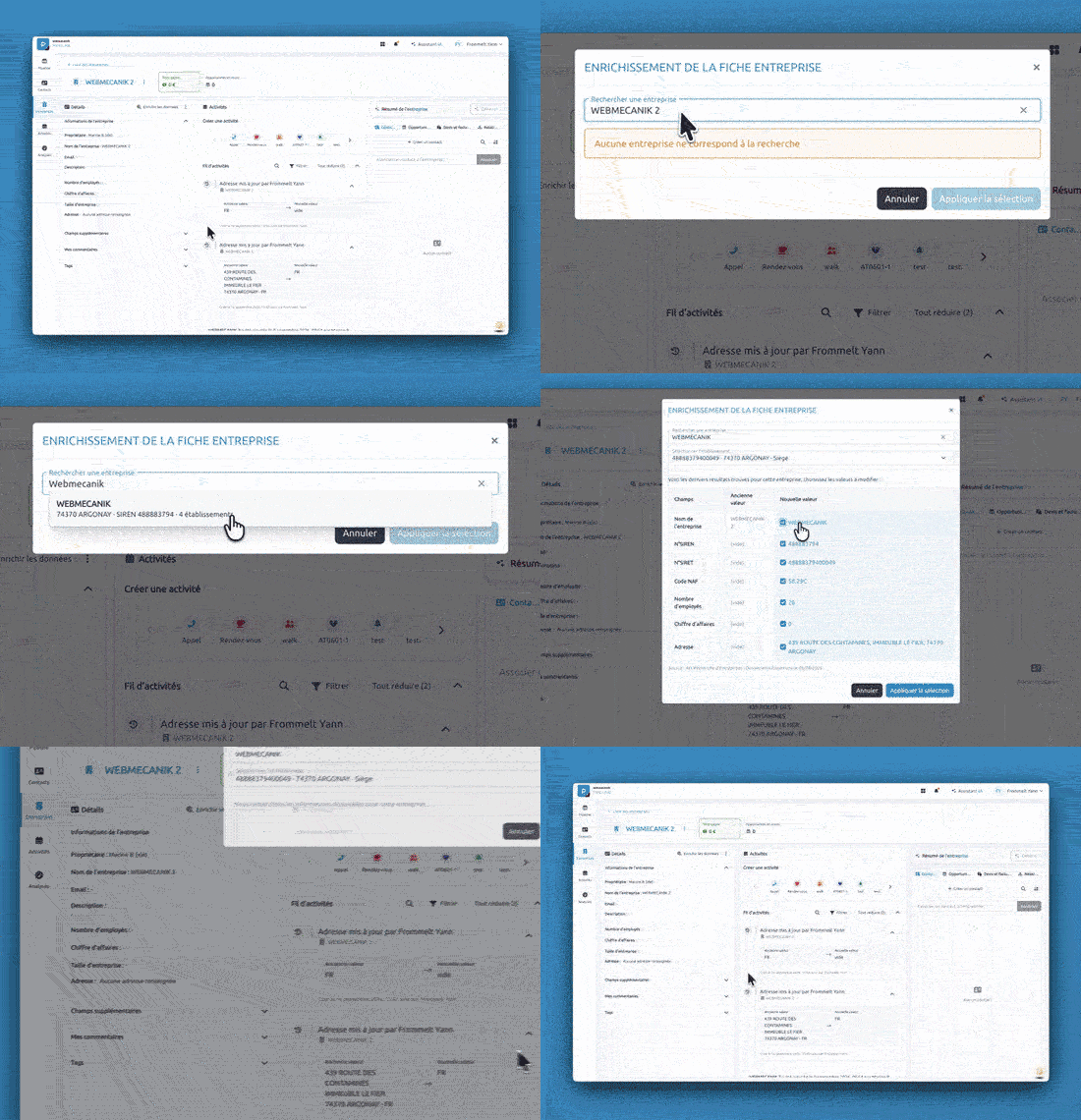
1. Upon creating a company record
When adding a new company, simply enter its name to launch automatic enrichment and populate key fields right upon creation.
2. Directly from an existing company record
- Navigate to your Pipeline workspace and open the desired company record.
- Click the Enrich data button located at the top of the record page.
- The fields in the left column (address, employee count, revenue, etc.) will update automatically.
- View the full details of all updated values directly in the central Activities feed.
💡 Tip: Regularly review the activity feed to maintain complete traceability of all updates made to your company records.
Comments
0 comments
Please sign in to leave a comment.